This quick post shows you how step by step.
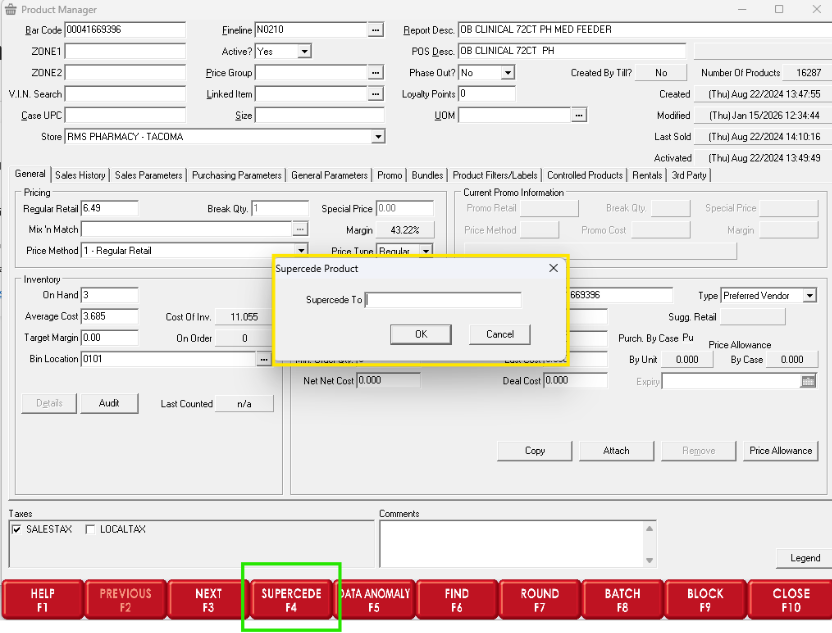
When an item’s bar code has changed but you want to keep the item’s sales and purchase history, go to Product Manager and on the second flip chart bar (press F11 or F12 to get to the second bar) use F4 – Supersede (see screenshot below).
When you run Supersede, Star-Plus will ask for the new bar code and then does the following behind the scenes:
• Clones the item using the new bar code (only if that new bar code is not already in the product file).
• If the original item was not already in an equivalent group, Star-Plus creates a new equivalent group starting with “SS” that includes the new bar code, and attaches that equivalent group to both items
• Example equivalent group: SS06900000949
• Sets the superseded (old) item to Phase Out = Yes