Learn how to customize your system to look up items by item number with these easy steps.
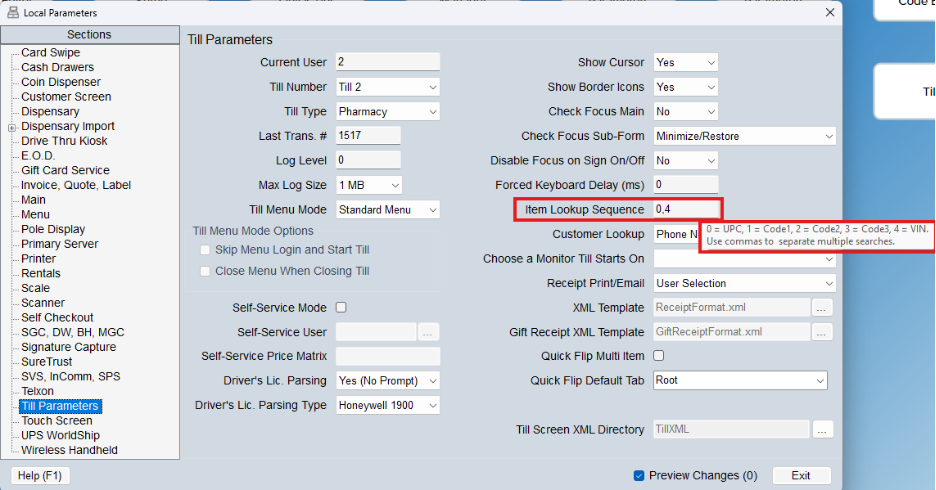
If you have items where it would be helpful to simply type in an item number, like the VIN number, the till can accept any of the fields listed above. To set it up, go to the Till Parameters section of Local Parameters (must be done on each till you want to use this feature) and update the Item Lookup Sequence field highlighted in red in the screenshot below. In the example below, when a barcode is scanned or a number is entered at the till, the system will first look to see if it can find a match in the barcode field of the Product Manager / Item Editor and if not, it will look to find a match in the VIN field. In the example, I have not included the Code 1, Code 2, or Code 3 fields.