It's super easy... here's how.
As shown in the screenshot below, go to the List Pending Deliveries flip chart on the till. Select the delivery you want to cancel, and press F2 (no touch screen) or Cancel (touch screen). If you don’t have a List Pending Deliveries (or Pending Deliveries) flip chart, please contact our support team and they will set it up for you.
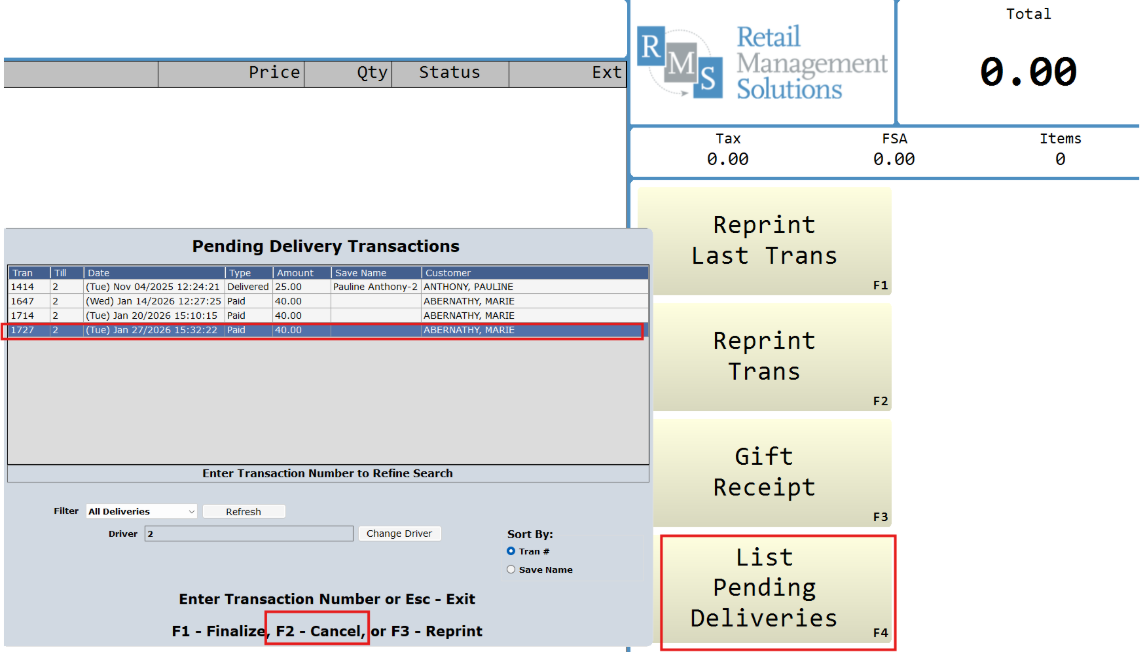
You can also Finalize or Reprint a Delivery transaction from this screen.