You can now filter out inactive items from the Item Editor splash screen with one easy click.
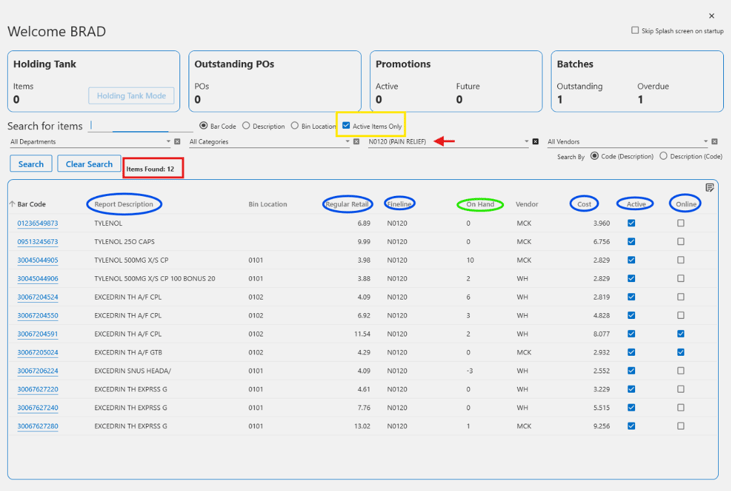
In the screenshot below, I’ve searched for items in Fine Line N0120 as shown with the red arrow. You can see that I’ve checked the Active Items Only checkbox (highlighted by the yellow box). When filtering out the inactive items, I’m left with 12 items (highlighted by the red box). Before I checked the box, my screen displayed 129 items.
Fields in the columns I’ve circled in blue can be edited in the grid. The On Hand column fields can be edited if the item is on Basic Inventory Control. If the item is on Advanced IC, the item cannot be edited from the grid.