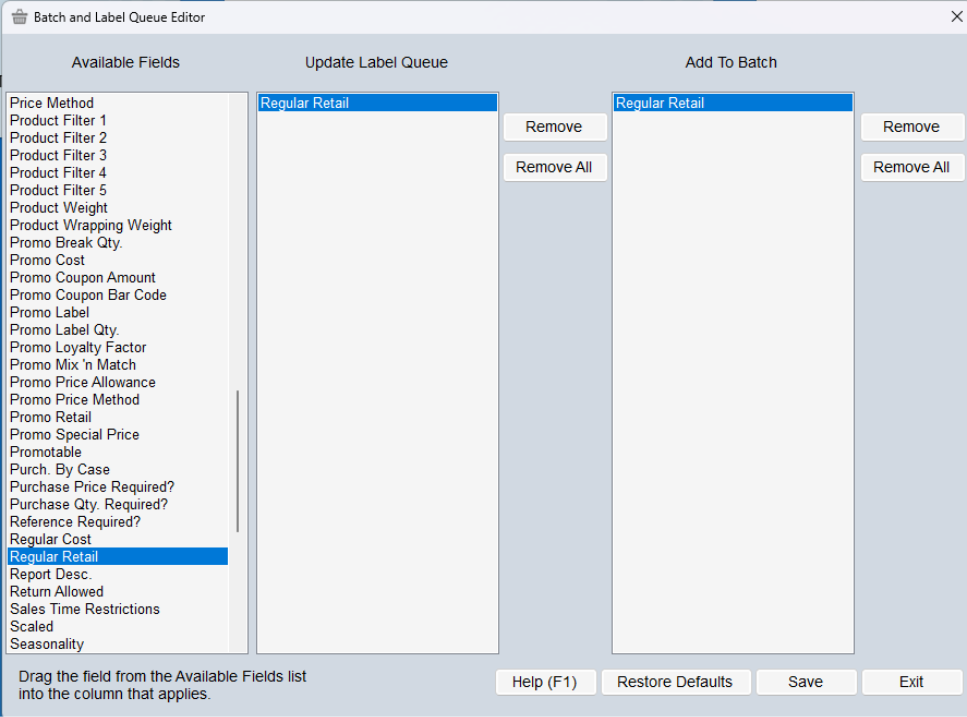
In the Batch and Label Queue Editor, you can customize which fields are automatically added to the label queue upon updating.
Looking at the screenshot below, you select the field in the left-hand panel and drag it to the Update Label Queue or Add to Batch panels. If you would like the field in both, you drag it to each panel separately. In my example, the only field that causes an item to go to the Label Queue or a Batch is the regular retail. In this scenario, changes to any other field, like Description, Cost, FLC, etc., would not result in a new label getting created.