Easily pin up to 5 of your most used applications to the Favorites list.
Simply right click on any application (Item Editor for example) and click Pin to Favorites.
Note: The Favorites list automatically populates with your most frequently used applications. These applications are not “pinned”, and they change as you use applications. Pinned applications are shown with the Pin icon as seen highlighted in the screenshot below:
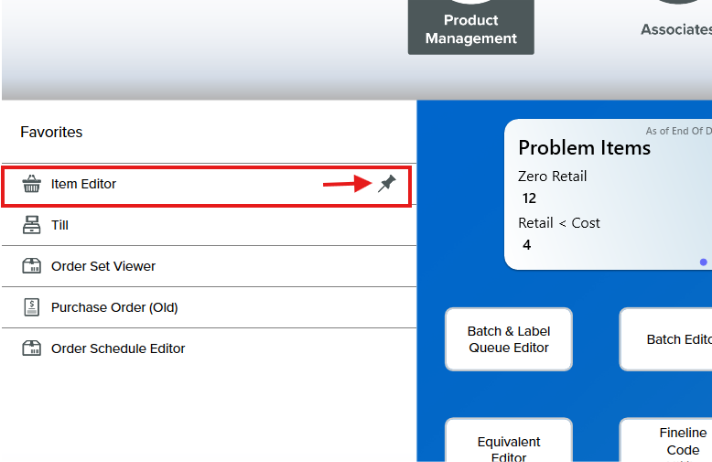
If the Favorites list is already full of pinned applications (5 applications max), you will see a warning pop-up and you will need to remove an application from the current list before you can proceed. In the example above, if you pinned another application, such as the Label Program, it would appear under the Item Editor, and the Order Schedule Editor would no longer show in the list.