This new feature ensures your PO has been updated with exactly what your vendor shipped before you receive the order.
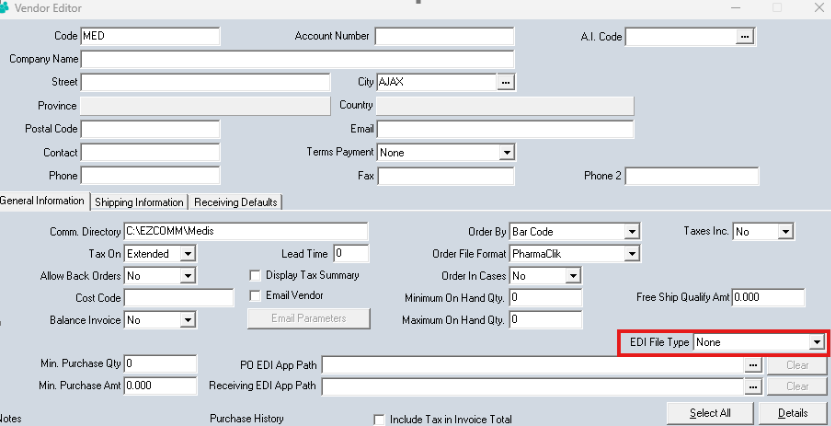
In Version 8.5, you can set a field in the Vendor Editor called EDI File Type to either “PO Acknowledgement” or “Invoice” as seen in the screenshot below. When this field is set, the system will check to see if the applicable EDI file has been processed. If it hasn’t been processed, the user will be notified and not be allowed to proceed until the applicable EDI file has been processed. This new feature ensures your PO has been updated with exactly what your vendor shipped before you receive the order.