When you create a purchase order, you can now go directly to the VendorEDI application for processing.
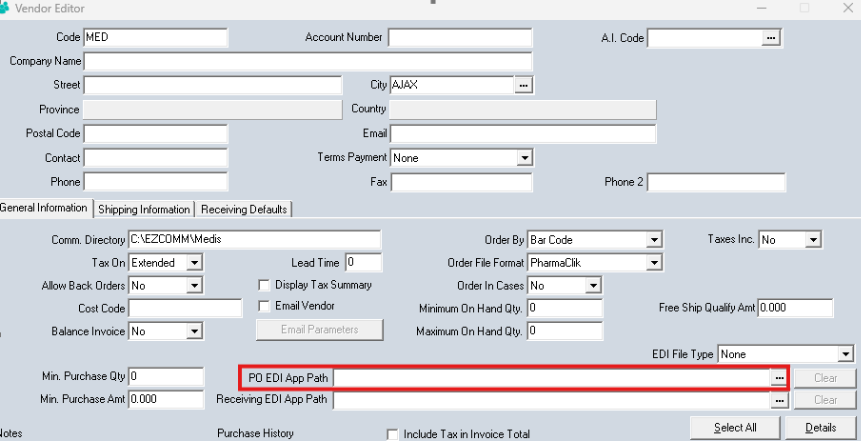
With Version 8.5, you can enter the path to the VendorEDI application into the PO EDI App Path field as shown in the screenshot below. This is the path you can copy and paste into the field: C:\Program Files\Retail Management Solutions\RMSPOS\VendorEDI\VendorEDI.exe
Once you do this, when you Finalize your purchase order, you will be redirected to the VendorEDI application to process the purchase order directly to your vendor.