Payment Restriction makes it easy for you to limit the payment types allowed for certain items.
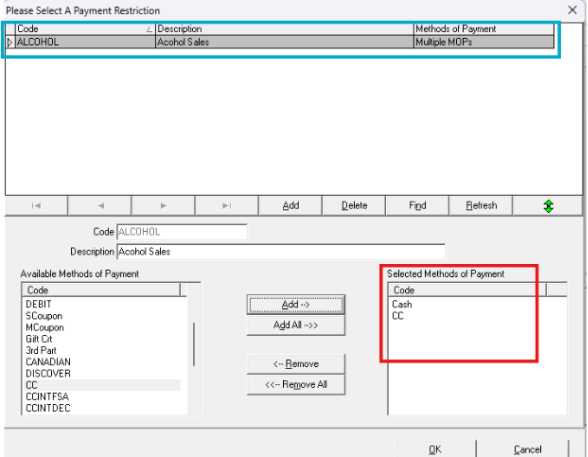
For example, if you sell any of the following: cigarettes, beer, wine, or liquor, you can create a Payment Restriction that only allows the customer to pay with cash or with credit card and not with check or AR account. See the screenshot below showing the setup:
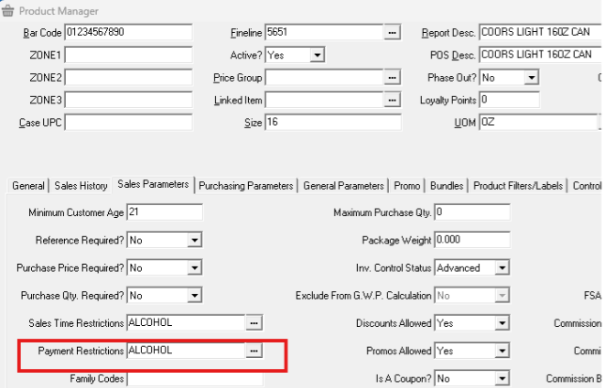
In the screenshot below, you can see the applicable field on the Sales Parameters tab of the Product Manager.
Once you’ve created your Payment Restriction, you can apply it to the applicable items using the Block Editor. If you’re unfamiliar with Block Editor, click this 3-minute video or watch below to learn how to use the Block Edit feature.