Build customer loyalty with these easy changes that will alert your clerk when a birthday or anniversary is coming up.
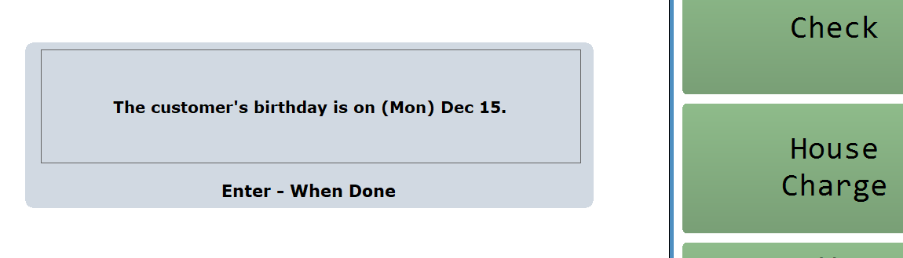
The screenshot below shows the prompt that shows on the till screen. This gives the clerk the option of wishing the customer a happy birthday.
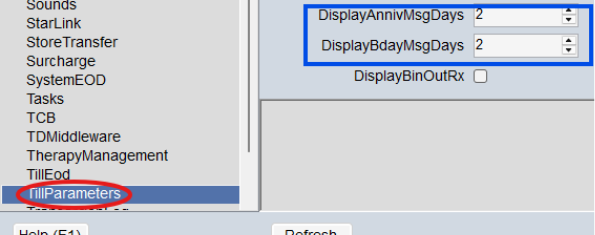
To set up this feature, go to Master Parameter, Till Parameters, and scroll to the fields shown in the screenshot below. Enter the number of days before and after the event you’d like the message to pop up on the till. In my example, the clerk will get the message 2 days before, on the day, and two days after for both anniversaries and birthdays. The system uses the Birth Date and Anniversary date fields in the Customer Editor.