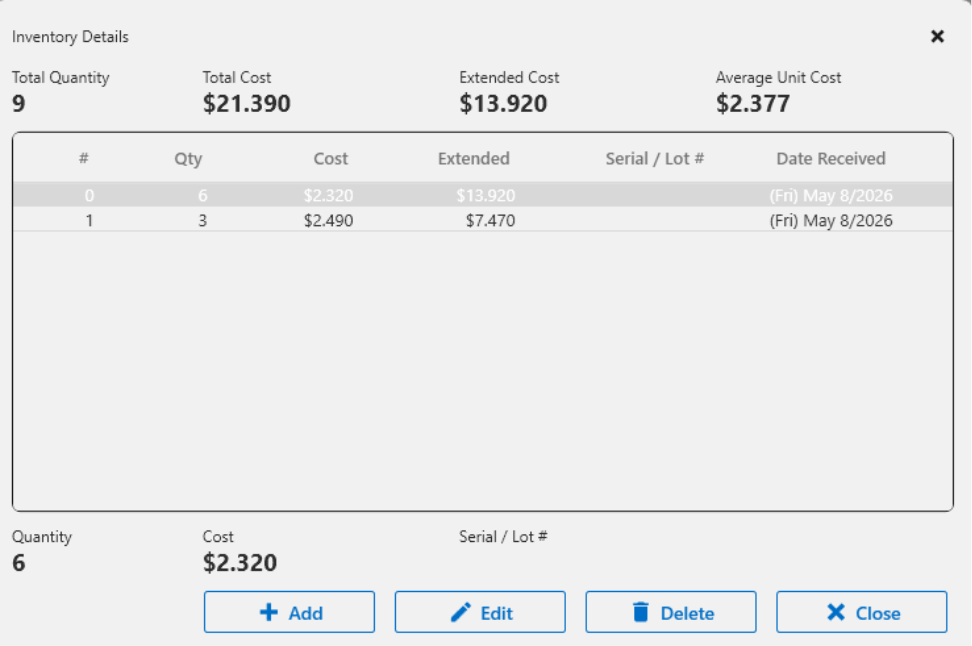
Discover the latest features in Version 8.5, including the Item Editor's support for Advanced Inventory Buckets.
If you haven’t switched from using the Product Manager to using the Item Editor because you're on Advanced Inventory Control, you can now make the switch.
In Version 8.5, the Item Editor allows users to view, add, modify and delete the inventory buckets used in the Advanced Inventory Control solution. This functionality works the same as in Product Manager (which is no longer being enhanced). The View Inventory button is available at the top right of the Inventory Widget and in the Functions section if the Inventory Widget is not placed on the middle panel.
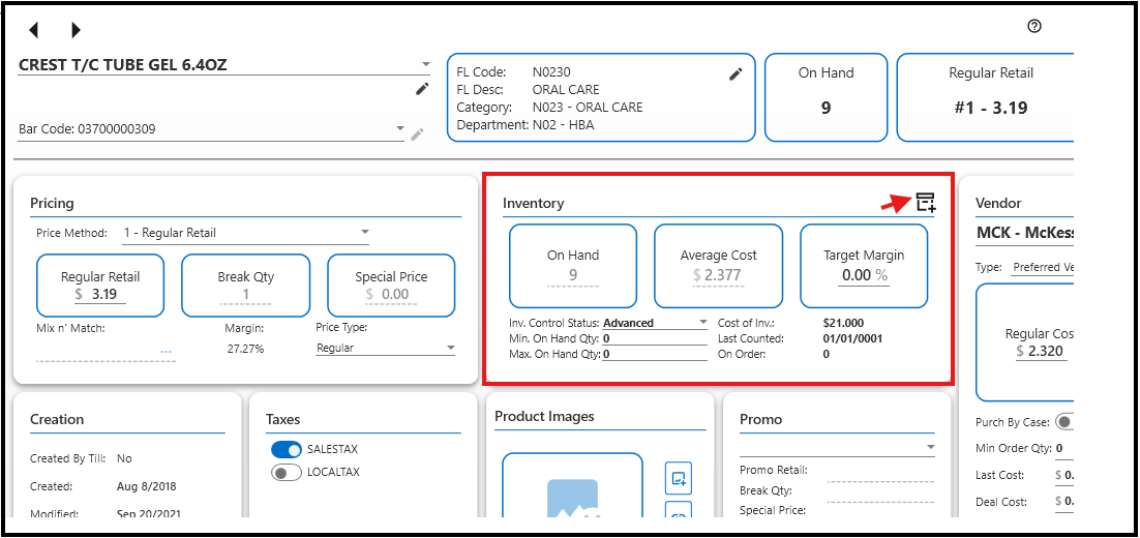
When you click the button next to the red arrow above, you will open the Inventory Details screen below, where you can Add, Edit, or Delete inventory quantities.